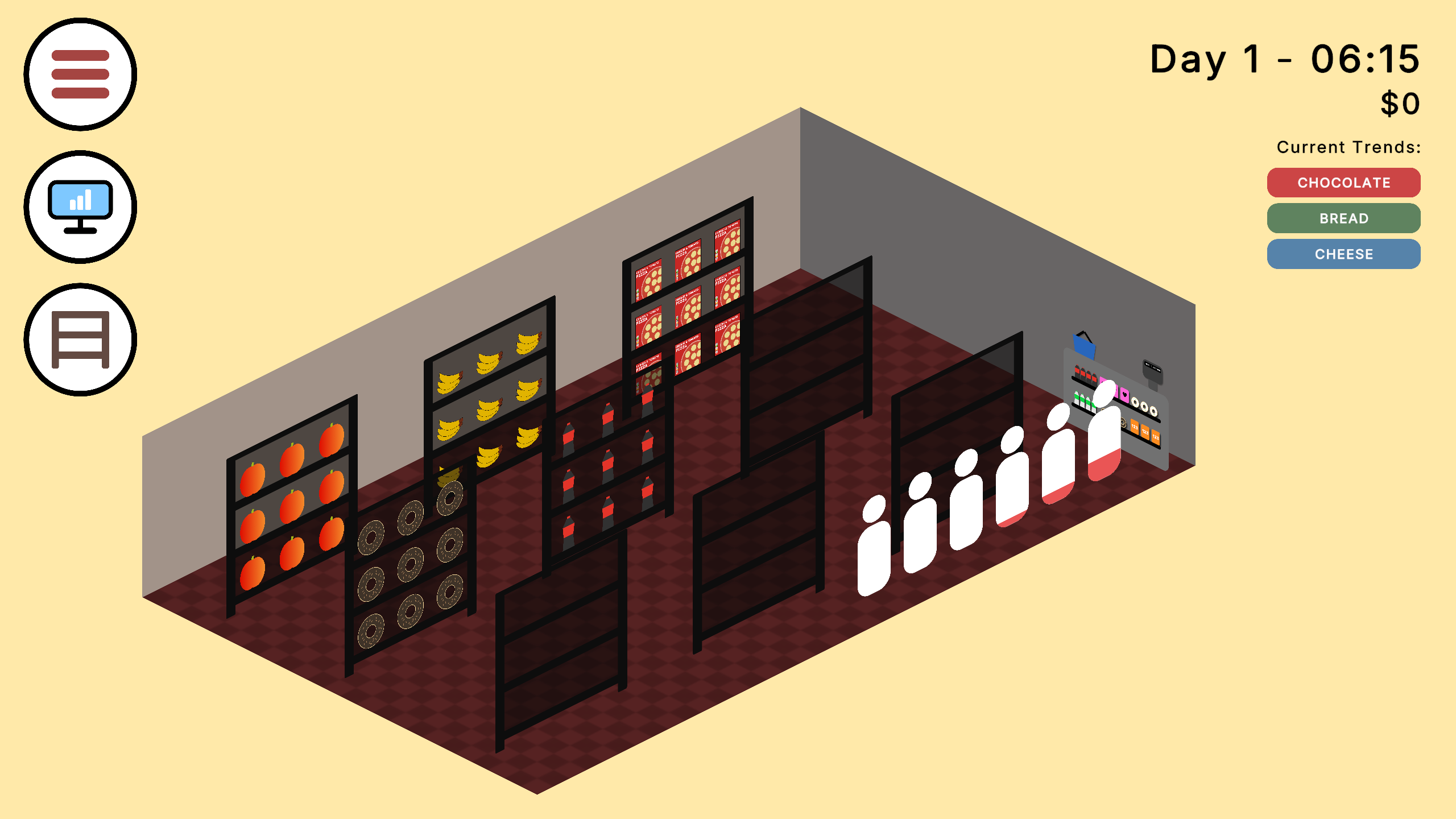
MyCornerStore is a fast paced store management game, You need to purchase items your customers will be interested in and earn as much money as possible!
This project is an individual solo prototype for what could be a fully developed title, I've created every single asset used in the project from the Programming to the Item Visuals.
As an Solo Developer I need to be able to work in every area of game development personally, this project specifically has a focus on the User Interface and Fast Paced Gameplay Mechanics.
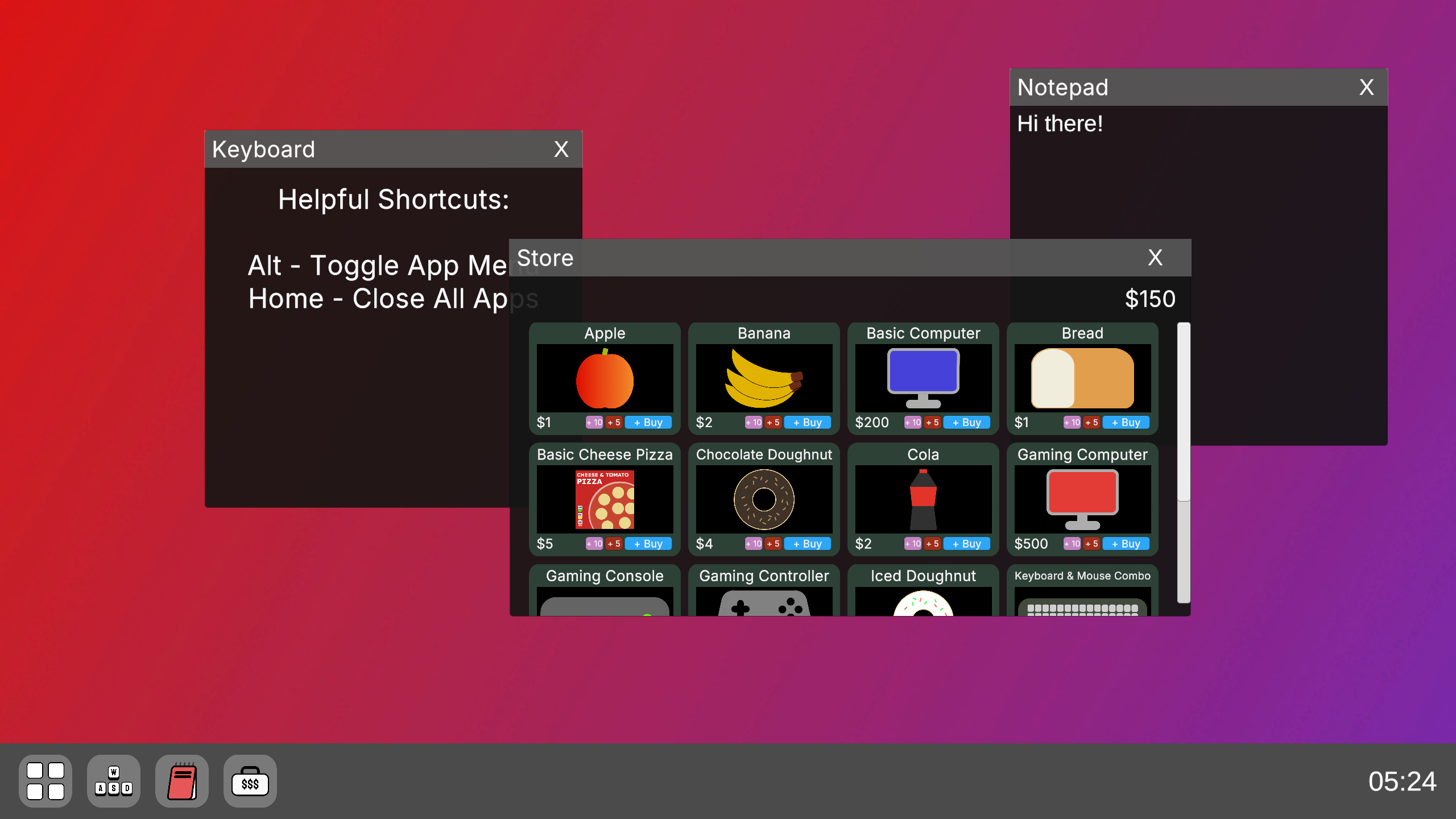
In the game you need to use a virtual computer to order in stock for your store, for this I recreated a standard PC interface letting the player open different applications in game
and even move them around the screen and open multiple at once.
I had to make icons for the different applications, As well as for many other parts of the game like the different items in the store and other UI, for this I used the software
Affinity
This software has many utilities as well as for UI, It can be used in the creation of Marketing assets (which I did for the Itch page), Social Media Posts and many others, It's been a useful utility in other projects for university and personal endeavours. As a solo developer, I'll need to create these assets myself and having knowledge in a widely used software will be helpful
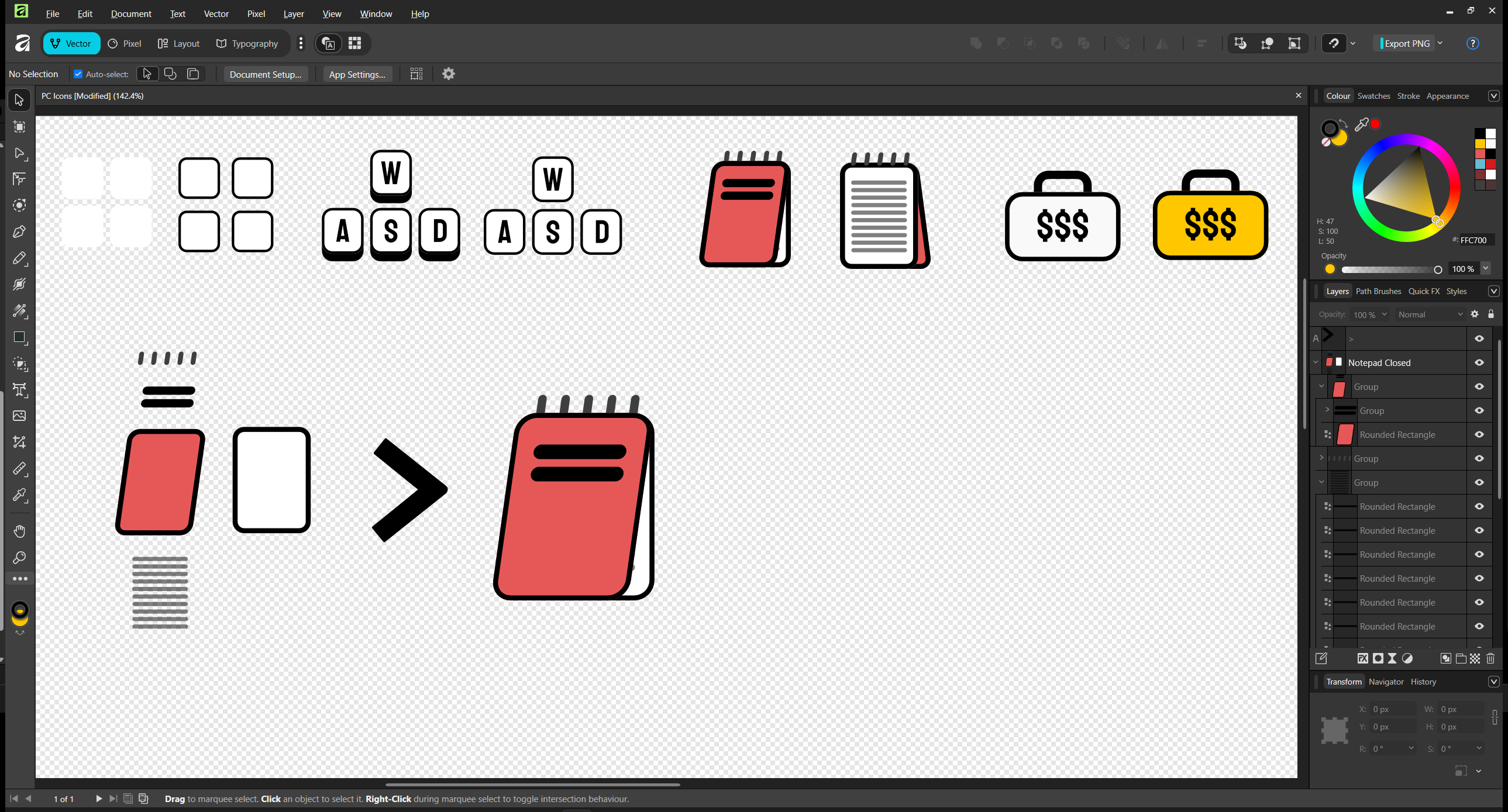
The above example is for the Application Icons, I made 2 versions of each icon, one for when the player is hovering over the icon to open the app and one when there not!
For the Notepad App Icon i've shown the individual pieces that make up the overall icon to show how it was made
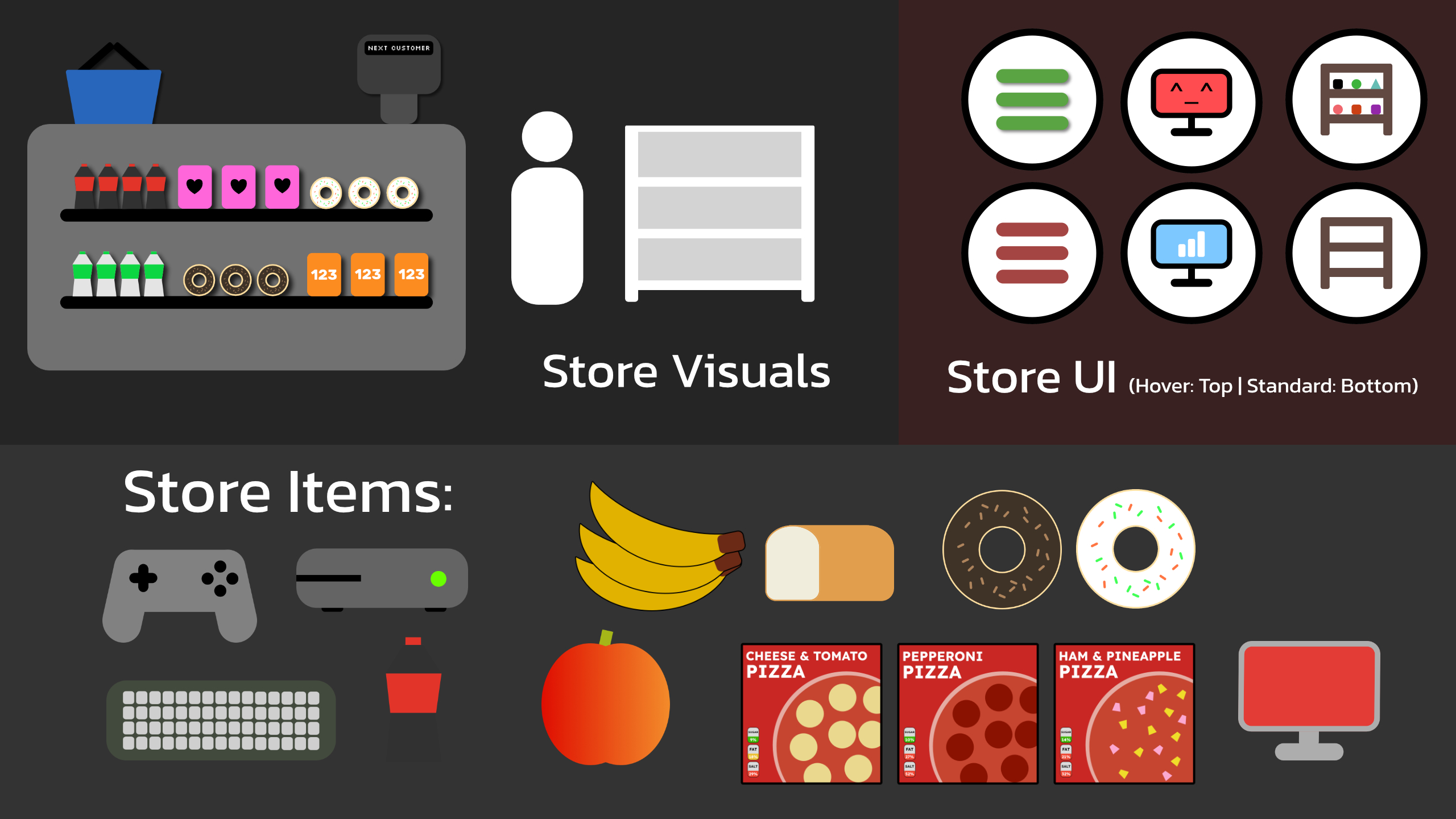
For the game, I tried to go with a more casual colour scheme and look, I found attempting an isometric like camera angle made the 2D items in the store looks better in game
A lot of the game is 2D planes and UI elements, like the shelves that have a Grid Layout Group that shows the items on the shelf in a grid. The customers are also shown in 2D on a canvas using a Horizontal Group to line them up by the till, there is a fill bar that fills up based on how long there waiting.
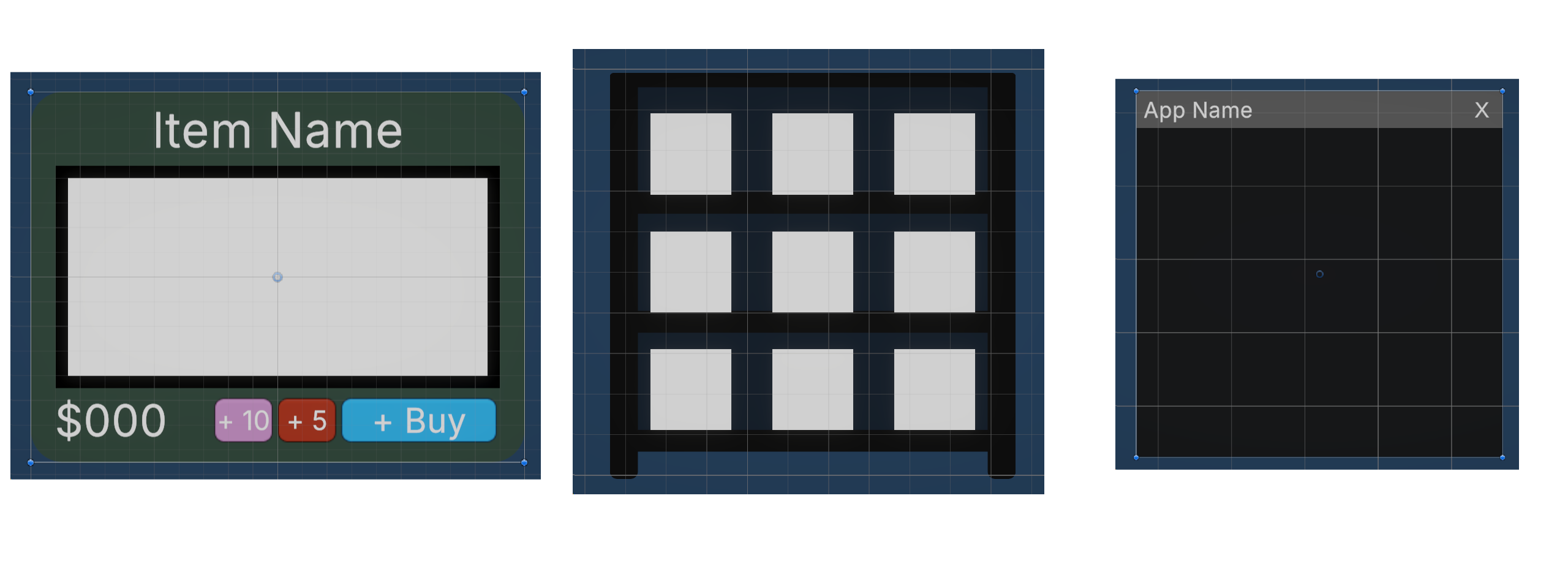
A lot of UI is stored in Prefabs and spawned whenever needed, this also keep the design & components of objects that should be matching stay the same
    void Update()

        // if the player is pressing the left mouse button and there hovering over the title run this
        if (Input.GetMouseButtonDown(0) && overUi)

            moving = true
            // This brings the app forward over the other ones when clicked
            foreach (GameObject app in appList)

                app.GetComponent Canvas ().sortingOrder = 2;

            canvas.sortingOrder = 3;


        if (!Input.GetMouseButton(0))

            // if the player lets go of the left mouse button it will stop moving the window
            moving = false;


        if (moving)

            // when the player is holding down the title bar of an app, it will follow the mouse to allow them to
            // move the window around
            toMove.position = (positionAdjustment * canvas.scaleFactor) + Input.mousePosition;
This script powers moving around the windows in the computer & the order they show and works to emulate a real PC, Event triggers enable and disable overUI
	public void Buy(GameItem item)

         // This gets the owned amount of the item selected
         int owned = PlayerPrefs.GetInt(item.itemName, 0);

         // This checks if the player has enough money to buy the product
         if (item.buyPrice >= wallet.money)

            // This removes the money and saves the amount of that item now owned
            wallet.money -= item.buyPrice;
            owned++;
            PlayerPrefs.SetInt(item.itemName, owned);
            moneyText.text = "$" + wallet.money;
This purchases an item and saves it in PlayerPrefs when the player buys it in the store
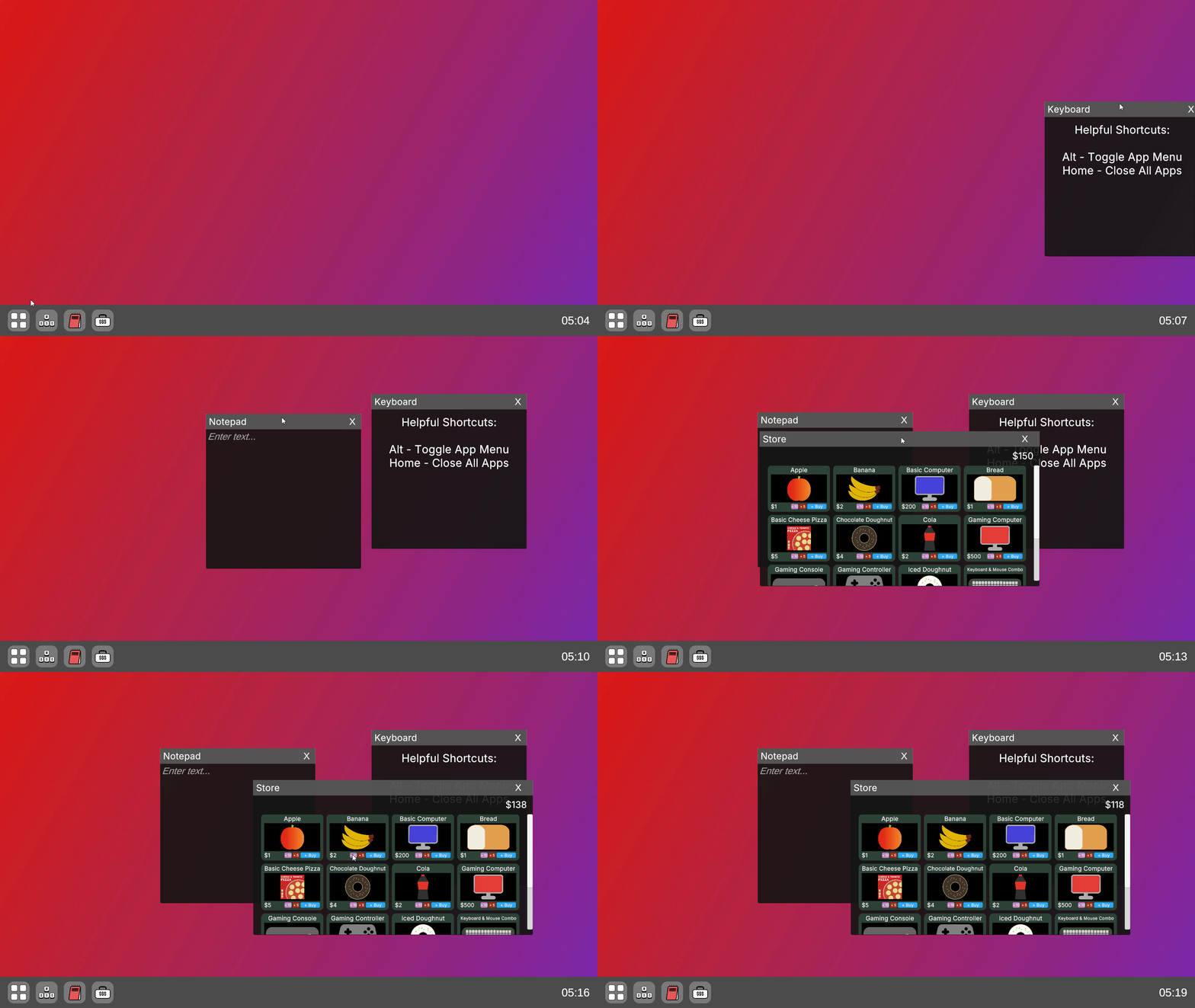
These examples alongside others help make a virtual PC in the game for the player to manage the store!
I wanted the shop management to be more complex than simply buying items, so I implemented a daily trends system, This system randomly picks 1-3 tags a day to trend, Customers will be more likely to buy these products over others
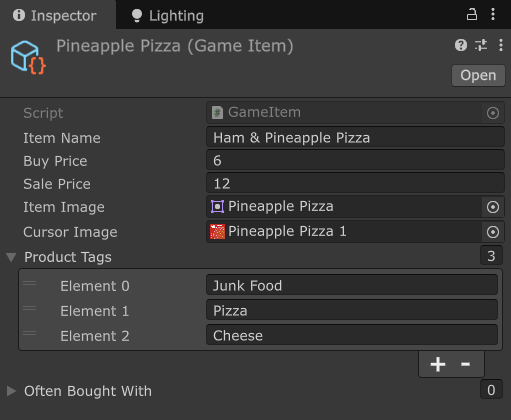
Each item in the game is a scriptable object, and has details to them like the product tags seen above.
        // This gives the customer a budget and amount of items they want to buy
        // I wanted to make each customer feel somewhat different to another
        budget = Random.Range(100, 2000);
        int items = Random.Range(1,8);
        totalSale = 0;

        int basket = 0;

        while (basket < items)

            // Continues until there basket fills up
            basket++;
            // Picks a shelf randomly to look at in the store
            // This is to avoid customers buying the first shelves items up first
            Shelf shelf = shelves[Random.Range(0, shelves.Length)];
            if (shelf.current != null) // If the shelf has an item on it

                GameItem item = shelf.current;
                int rate = 20; // This is the base 20% Chance they'll buy a product
                foreach(string tag in item.productTags)

                    if (customerSystem.dayTags.Contains(tag))

                        // If the item has a tag that matches one of the Daily Trending Tags, increases the rate
                        rate = 70;


                if (shelf.owned > 0 && Random.Range(0,100) <= rate)

                    // If the shelf has stock left and the chance is a success, buys the item
                    shelf.RemoveOne();
                    AddItem(item);
Customers when buying will be given budgets and an amount they want, If the product isn't trending it's a 20% chance to buy but it's 70% if it is.
    void GenerateCustomerArrivals()

        // Removes previous days arrivals
        customerArrivals.Clear();
        // Customers start arriving at 6AM
        int i = 6;
        while (i < 17) // The day ends at 5PM

            // Picks how many customers will arrive that hour
            int customers = Random.Range(0, 31);

            Debug.Log("Customers to arrive at " + i + ": " + customers);

            int ii = 0;
            while (ii < customers)

                // Randomly picks a time in the hour for the customer to arrive
                ii++;
                customerArrivals.Add(i.ToString("00") + Random.Range(0,60).ToString("00"));


            i++;

        // Sorts the list by time, Like 0602, 0634, 0655, 0712
        customerArrivals.Sort();
I also wanted to simulate busy hours in a store, Instead of customers having a 1/3 chance to spawn per second there is a schedule generated at the start of each day. This randomly assigns a number of customers to arrive each hour and then gives them a set time to arrive.
The game also gives the player the first hour of the day to buy and prepare before customers arrive, the first hour goes slower and speeds up at 6AM
There are many areas I'd like to expand on in the game given the time, like: